Only Sales Agents, their PA's, Business Owners and Sales Managers should have access to Insights App.
If you or a team member is having trouble accessing the Harcourts Insights App please review the solutions below:
!! Note for Hub Champions !! - please ensure that the 'Office Access Lookup', 'CRM Access Lookup' and the 'Awards Data' section is ticked on the agents profile on Harcourts Hub is setup before reviewing the below:
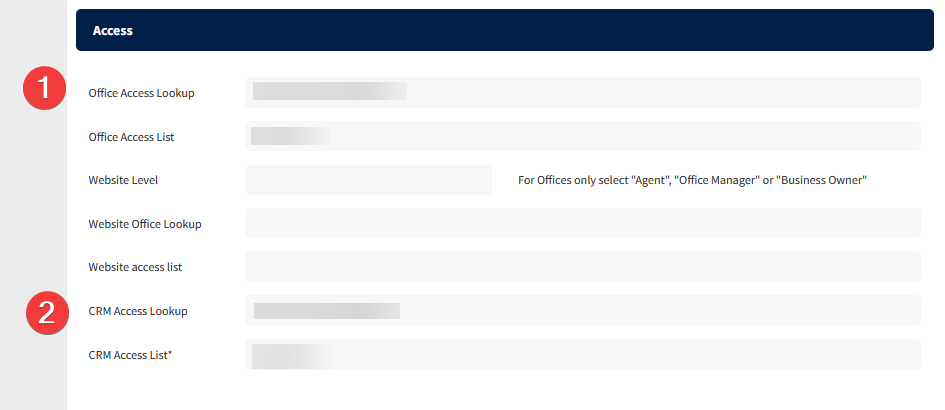
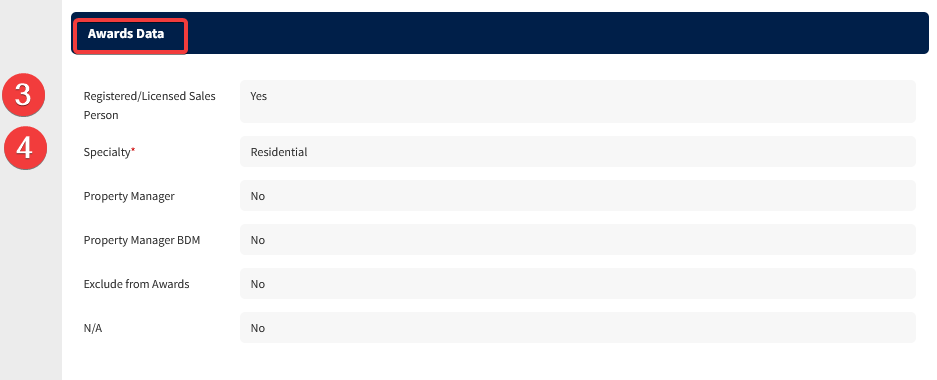
1. For New Sales Agent Access
If you have trouble finding a new Sales Agent on Insights app or they are having troubles logging in, it may be that they have not completed a Sale or have not completed an Apprasial on VaultRE. If this is the case - please get the new Sales Agent to setup a dummy apprasial on Vault and allow up-to 24 hours for their Insights App profile to show up.
2. For Current Sales Agent Access
If you have completed a Sale and/or a Apprasial on VaultRE and still unable to access Harcourts Insights app:
Harcourts Insights app uses Single Sign-On (SSO) to login. This means when you login to the app, it will prompt you to login through Outlook. You will want to enter in your Harcourts email and password in to login successfully.
If you are unsure of your password and need it reset - please reach out to Harcourts Helpdesk to assist in the reset of the password.
Was this article helpful?
That’s Great!
Thank you for your feedback
Sorry! We couldn't be helpful
Thank you for your feedback
Feedback sent
We appreciate your effort and will try to fix the article